





Carrying out a stocktake is essential for checking the quantities actually available and maintaining an accurate view of your stock. However, in a busy warehouse, suspending goods-in, order picking and dispatch operations can quickly become restrictive. So, how can you carry out a stocktake without bringing your warehouse to a standstill? You will find the answers to all your questions in this article.
.
In summary
|
||
Can you carry out a stocktake without shutting down the warehouse?
As surprising as it may seem, the answer is yes. However, operations cannot continue exactly as they would on a normal working day. Carrying out a stocktake without bringing the warehouse to a standstill does not mean counting products while pallets continue to move freely through the aisles. In practice, the aim is to limit disruption to the areas or SKUs concerned, while maintaining priority operations elsewhere in the warehouse.
There are several ways to achieve this:
- count the warehouse one area at a time;
- schedule counts during quieter periods;
- carry out cycle counts throughout the year;
- temporarily freeze selected storage locations;
- continue urgent stock movements while recording them accurately.
Some management systems can also block stock movements within a defined area or freeze the theoretical stock figure used as the basis for the count. With a Warehouse Management System such as Satelix WMS, this process becomes easier to manage. Teams use a shared framework to identify storage locations, record quantities and monitor warehouse-floor operations.
.
Why can a stocktake disrupt warehouse operation?
A physical stocktake involves counting the quantities actually present in the warehouse and comparing them with the data recorded in the management system. In France, the Commercial Code requires businesses to use a stocktake to check the existence and value of their assets and liabilities at least once a year.
🔗 Also read: Whare are the different inventory methods used in logistics?
On paper, the process seems straightforward. In practice, stock levels continue to change:
- a goods receipt adds stock;
- order picking removes products;
- a transfer changes their storage location;
- a return may place an item back into stock;
- a product may be moved into quarantine or quality control.
When these movements take place during the count, teams must determine whether they happened before or after the quantity was recorded. This is exactly what makes stocktaking more complex in a working warehouse. Stopping all stock movements makes it easier to capture an accurate snapshot, but it can delay customer orders and create a backlog when operations restart.
👉 The preparation process must therefore meet two objectives: provide an accurate view of stock at a specific point in time and maintain the operations that genuinely need to continue.
.
How to carry out a stocktake without bringing your warehouse to a standstill
Business continuity depends less on how quickly teams count and more on the quality of the preparation carried out beforehand. Here are the main steps to follow.
.
Define the exact scope of the stocktake 📏
Before starting, determine exactly what teams need to count. The stocktake may cover the entire warehouse or a specific area, depot, product family, selection of SKUs, group of storage locations, or high-value and fast-moving products.
The scope must be precise enough to organise the teams, estimate how long the process will take and identify which stock movements need to stop.
.
Choose a period that suits your operations 📆
Even when the warehouse remains open, some time slots are more suitable than others.
Where possible, schedule counting:
- before order picking begins;
- after the final dispatch wave;
- between two major goods receipts;
- during a quieter period;
- outside seasonal peaks;
- when stock volumes are lower.
Teams can count fast-moving SKUs just before a picking wave begins. Quieter areas, on the other hand, can be counted during normal working hours.
👉 The aim is not necessarily to complete the entire stocktake in the evening or over the weekend.
.
Divide the warehouse into counting areas 📍
Zoning is one of the most effective ways to avoid a complete shutdown. The principle involves dividing the warehouse into separate areas, such as: aisles, racking, levels, storage locations, picking areas, reserve storage and loading bays. Each area then receives a clear status:
- awaiting counting;
- count in progress;
- awaiting verification;
- approved;
- available again.
While one team counts a specific area, operations can continue elsewhere. For this approach to work effectively, storage locations must follow the same identification structure in both the warehouse and the IT system. Warehouse teams need to see quickly which areas remain available and which are temporarily frozen.
This is where a WMS makes a real difference. With Satelix WMS, storage location management, barcode scanning and data transfer to the ERP system allow operators to work from reliable information.
🔗 Find out more: WMS Inventory: Before and After, the Essential Comparison
.
Freeze only the storage locations concerned 🧊
Freezing an area means temporarily suspending any stock movements that could change quantities during the count. The freeze may apply to an entire area, a storage location, a SKU, a batch or a stock category. You do not therefore need to make the entire warehouse unavailable.
However, you should establish a clear procedure for urgent requests, including:
- Who can authorise the movement?
- How should the movement be recorded?
- Has the product already been counted?
- Should the recorded quantity be corrected or recounted?
- When can the area be released?
.
Control the stock movements that must continue 🔁
Some operations simply cannot wait. A priority order may need to be dispatched, or an important or urgent delivery may arrive. These movements can continue, but they should remain exceptional and fully traceable. For each movement, teams can record the SKU, the quantity, the original storage location, the destination, the time of movement, the operator involved…
A product removed from a location that has already been counted should not be handled in the same way as a product moved before the counting team arrives.
With a WMS connected to warehouse-floor operations, the system records this information at the time of the movement. Satelix WMS can record receipts, issues and transfers using handheld terminals, before sending the relevant information to the ERP system.
.
Prepare storage locations before stocktake day 🧹
A smooth stocktake begins well before the first item is counted. Teams should not waste time identifying a pallet, moving boxes or trying to work out which stock category a product belongs to.
Before the stocktake, check that:
- each storage location has a clear, readable identifier;
- products are stored in the correct areas;
- packaging and handling units are known;
- part-used pallets remain accessible;
- goods in transit are clearly identified;
- returns are separated;
- non-conforming products have a clear status;
- goods awaiting receipt remain separate from available stock.
This preparation also makes the operators’ route easier. Teams can follow a defined counting sequence without unnecessary back-and-forth movements.
A WMS does not replace the need to organise the physical warehouse. However, it helps teams check that the products and storage locations found on the warehouse floor match the information expected in the system.
.
Count using handheld terminals 📱
Paper count sheets remain an option, but they often add a manual data-entry stage before teams can use the results.
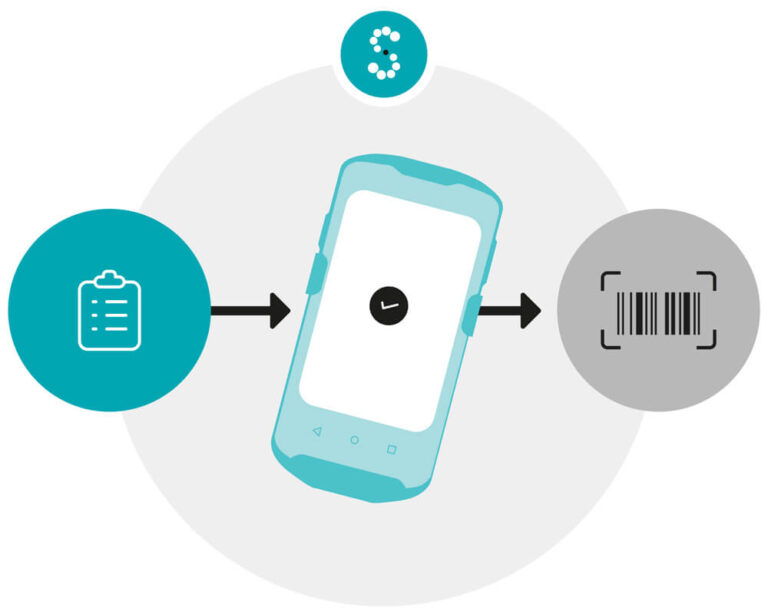
With a WMS on a handheld terminal, the operator scans the area, storage location, item, batch or serial number, and then enters the quantity. For the teams, the process becomes much simpler: scan, count and confirm. That is all there is to it.
🔗 Related article: Excel VS WMS: Who Wins the Inventory Battle?
.
Can cycle counting prevent the warehouse from shutting down?
Cycle counting allows teams to check part of the stock regularly instead of counting everything at once. The business divides its SKUs into groups and assigns a counting frequency to each one. Teams can therefore check the most important or frequently handled products more often than slow-moving items.
This method spreads counting throughout the year and allows teams to deal with smaller volumes. They only work in selected areas, without disrupting daily operations.
.
How should you choose which SKUs to count?
You can define the frequency according to several criteria:
- product value;
- stock rotation;
- how critical the item is to operations;
- seasonality;
- storage location;
- ease of replacement;
- the company’s own control requirements.
There is no need to start with a complex classification system. An SME can begin by selecting a few strategic product families, setting up a simple schedule and gradually adjusting the counting frequencies. In this context, a WMS such as Satelix becomes a genuine management tool. It helps structure stocktaking campaigns, guide the counting process and retain a history of completed operations.
.
Make stocktaking easier to manage with Satelix WMS
As you will have gathered, a WMS connects the counts carried out on the warehouse floor with the data held in the management system. Operators can identify areas and storage locations, scan products, record quantities and monitor any stock movements that continue during the process. The WMS then centralises the results and synchronises them with the ERP system. This automation reduces manual data entry and makes it easier to compare physical stock with theoretical stock.
With Satelix WMS, warehouse teams have access to a straightforward, user-friendly tool. However, the best way to understand its value is to explore all its features 👇
.
Discover Satelix WMS
BONUS: the stocktaking checklist 📋
To make sure nothing gets overlooked before, during or after the count, download our stocktaking checklist.
It covers the main points to review, including team organisation, equipment preparation, area identification, urgent stock movement management and final approval.
.
Download the stocktaking checklist
.
Did you enjoy this article? Follow us on LinkedIn to make sure you never miss our latest news! 😌